
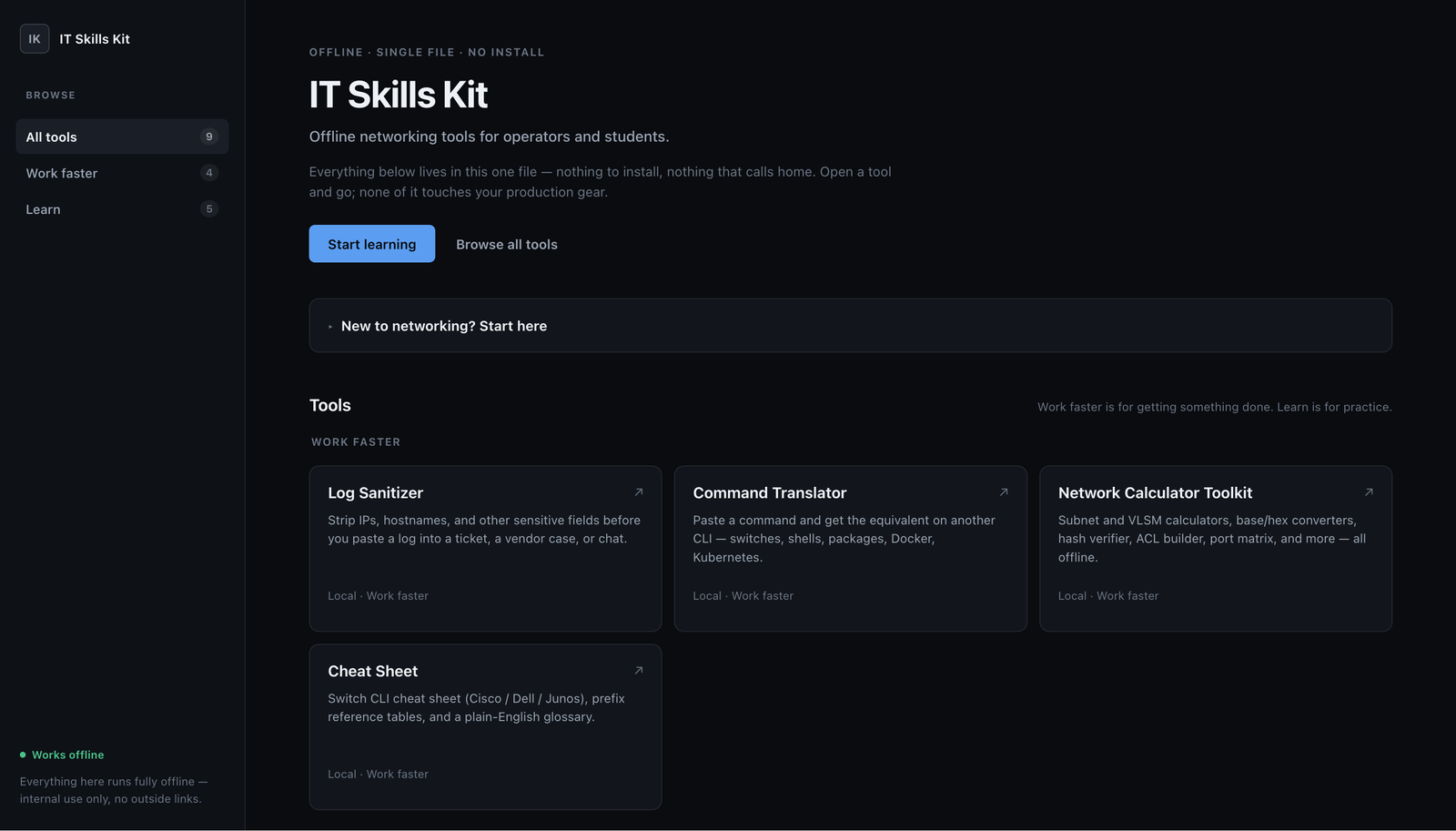
IT Skills Kit
Log Sanitizer started as a one-off. I needed a way to strip IPs, hostnames, and credentials out of a log before I pasted it somewhere I shouldn’t. Once that worked, I kept finding other little tools I’d already built. A CLI translator. A subnet calculator. Some DNS and routing labs. Firewall stuff. A few other things. At some point I had enough of them that keeping them all as separate files didn’t make much sense.
So I put them together. That’s IT Skills Kit. It’s one HTML file. No server, no build step, and no external requests. Everything runs in the browser. I don’t really consider it finished. Whenever I build something that seems useful, I add it.
Log Sanitizer
This is where the whole thing started. It redacts IPs, hostnames, credentials, and API keys from a log as you type. It runs in a stricter iframe sandbox than the other tools because this is the one that actually gets used with real secrets. It’s still the tool I use the most, so it gets its own writeup.
Command Translator
Paste a command from one CLI and get the equivalent command for another. It covers network OS commands, Linux and Windows shells, package managers, Docker, Kubernetes, VMware, and vSphere. I built this after getting tired of translating the same commands between a Cisco box, a Dell switch, and a Junos device in the same afternoon.
Network Calculator Toolkit
This is probably the least exciting tool in the kit, but it’s one I use a lot. It has subnet and VLSM calculators, base and hex converters, a hash verifier, an ACL builder, and a port matrix. It’s usually the first thing I open when I’m doing subnetting and want to make sure I didn’t screw up the math.
Cheat Sheet
A quick reference for Cisco, Dell, and Junos commands, plus prefix tables and a plain-English glossary. It’s for those moments where I know roughly what I need but don’t remember the exact syntax and don’t want to open a 500-page manual.
DNS Lab
An offline DNS simulator with dig-style queries, a zone database, and a visual view of the resolution process. It also has broken scenarios like CNAME loops, missing records, and bad MX records. Those are honestly more useful to practice than just watching a successful lookup work.
Routing Lab
Covers longest-prefix matching, routing tables, packet paths across three simulated routers, and a BGP best-path quiz. Same idea as the DNS lab. The broken stuff is where you actually learn what’s happening.
Firewall Rules Lab
An ACL simulator where you can add, remove, and reorder rules and then send test packets through them. You can actually see which rule wins. First-match-wins and implicit deny sound simple until you’re staring at a real rule set, so I wanted something where you could practice it without touching a real firewall.
Network Fault Lab
A set of diagnose-and-fix scenarios built around a live topology. It also has Cisco IOS, Dell OS10, and Juniper Junos lessons on the same console. Interfaces, VLANs, LACP, SVIs, saving config: basically the stuff that’s useful to practice but not something I want to intentionally break on real equipment.
vSphere Sandbox
An offline vSphere Client to practice with. You can work with clusters, hosts, VMs, power operations, vMotion, Edit Settings, Recent Tasks, alarms, and other parts of the interface. Nothing connects to anything real. You can click around and break things without worrying about breaking production.
Getting it
Open IT Skills Kit and you’re in the tools hub. Everything is one click away. You can download the latest HTML file if you want a local copy, or grab the source on GitHub. I’ll keep adding to it as I build more stuff.