
The typo that stopped my Log Sanitizer
I was getting ready to take a fresh screenshot of the Log Sanitizer for this site. I opened it, clicked Try example, and nothing happened. The example never loaded, and the badge in the bottom corner said CHECKING and stayed there.
What I saw
The page looked fine. The buttons were there and the layout was right. None of them did anything, though, and the self-check badge that normally flips to PASS within a second was stuck.
The stuck badge was the clue, because a page like this is only a layout until its script runs. A badge that never changes means the script never got going.
What was wrong
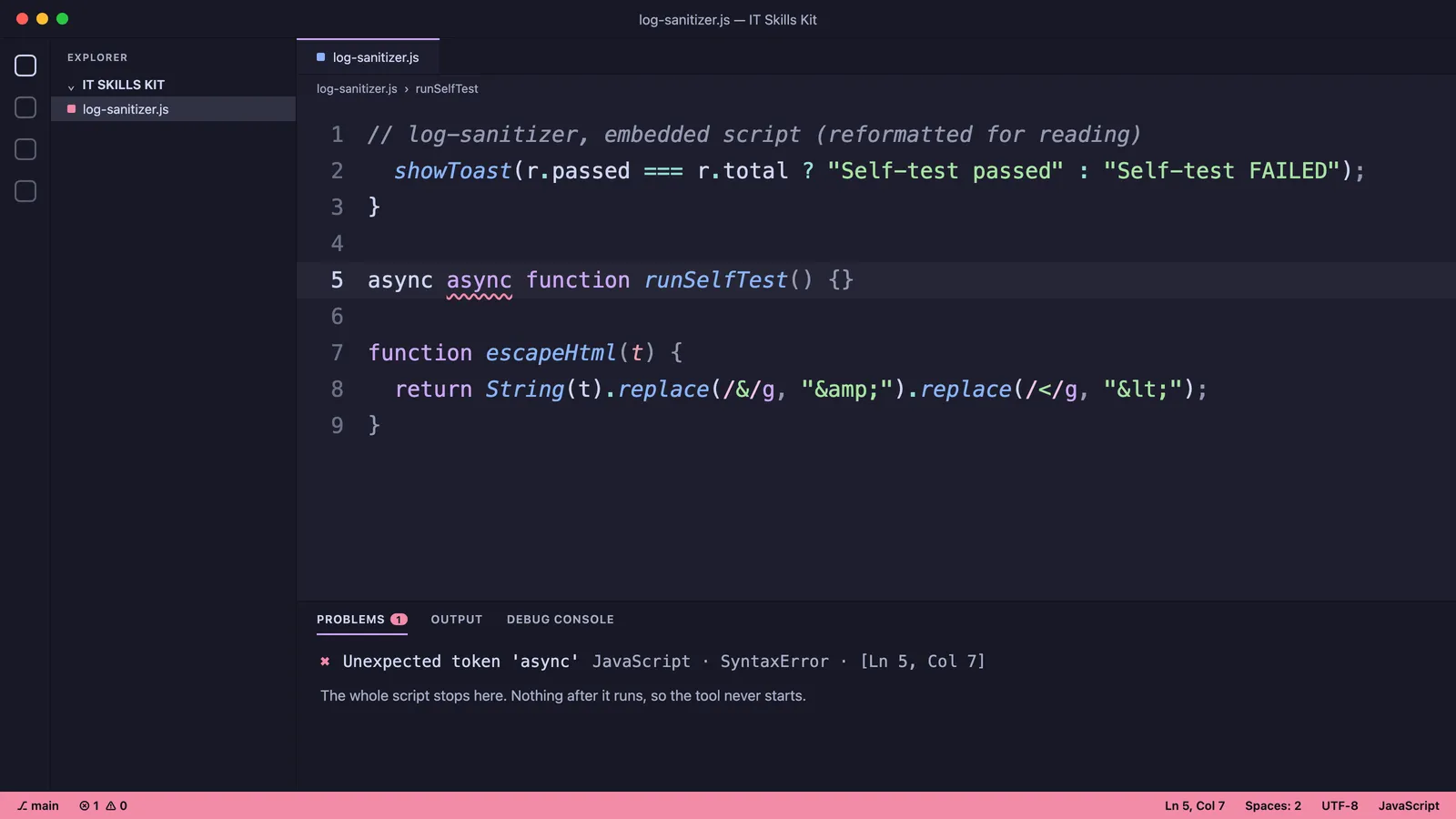
The browser console had one error: SyntaxError: Unexpected token 'async'. It pointed at the function that runs the self-test, and the line looked like this:
async async function runSelfTest() {}The word is doubled, and I don’t know how the second async got there. It was in the build I had downloaded, so it went into the repo and onto the live site along with everything else.
Why one word breaks everything
A browser reads a whole script before it runs any of it. If it can’t parse the script, the whole script is thrown away, so one bad line takes every other line with it. All of the Log Sanitizer’s code lives in one script, so one extra word turned the tool into a picture of a tool.
The only report is a line in the console, and nobody looks there unless something is already wrong.
The fix
I deleted one async. After that the self-test ran and passed, the example loaded, and both the leak scan and the double-check came back clear.
Making sure it can’t ship again
The kit is one HTML file with about a dozen tools embedded in it as text, and ordinary syntax checkers can’t see inside that. So I wrote a small script, scripts/check-scripts.mjs, that pulls every script out of the file, embedded tools included, and runs Node’s syntax check on each one.
I tested it two ways. On the real file it checks 16 scripts and none fail. On a copy where I put the doubled async back, it fails, names the tool, and exits with an error.
Right now it’s a command you run by hand before pushing. Running it automatically on every push would be the next step. The script is in the repo.
What I took from it
Loading and working are different things, so I check that a tool does something when I open it. A status light that never changes is worth noticing. And a single-file app needs its own checks, since the usual tooling can’t see inside it.