
Network Topology Builder
Network diagrams go out of date almost immediately. Someone moves a cable or adds a VLAN, and the Visio file nobody updated is now wrong. I wanted something that could build the diagram from what the network itself reports, so the picture comes from evidence.
That became the Network Topology Builder. It’s part of the IT Skills Kit, so it’s one offline HTML page with no server and nothing uploaded.
Two ways to build a diagram
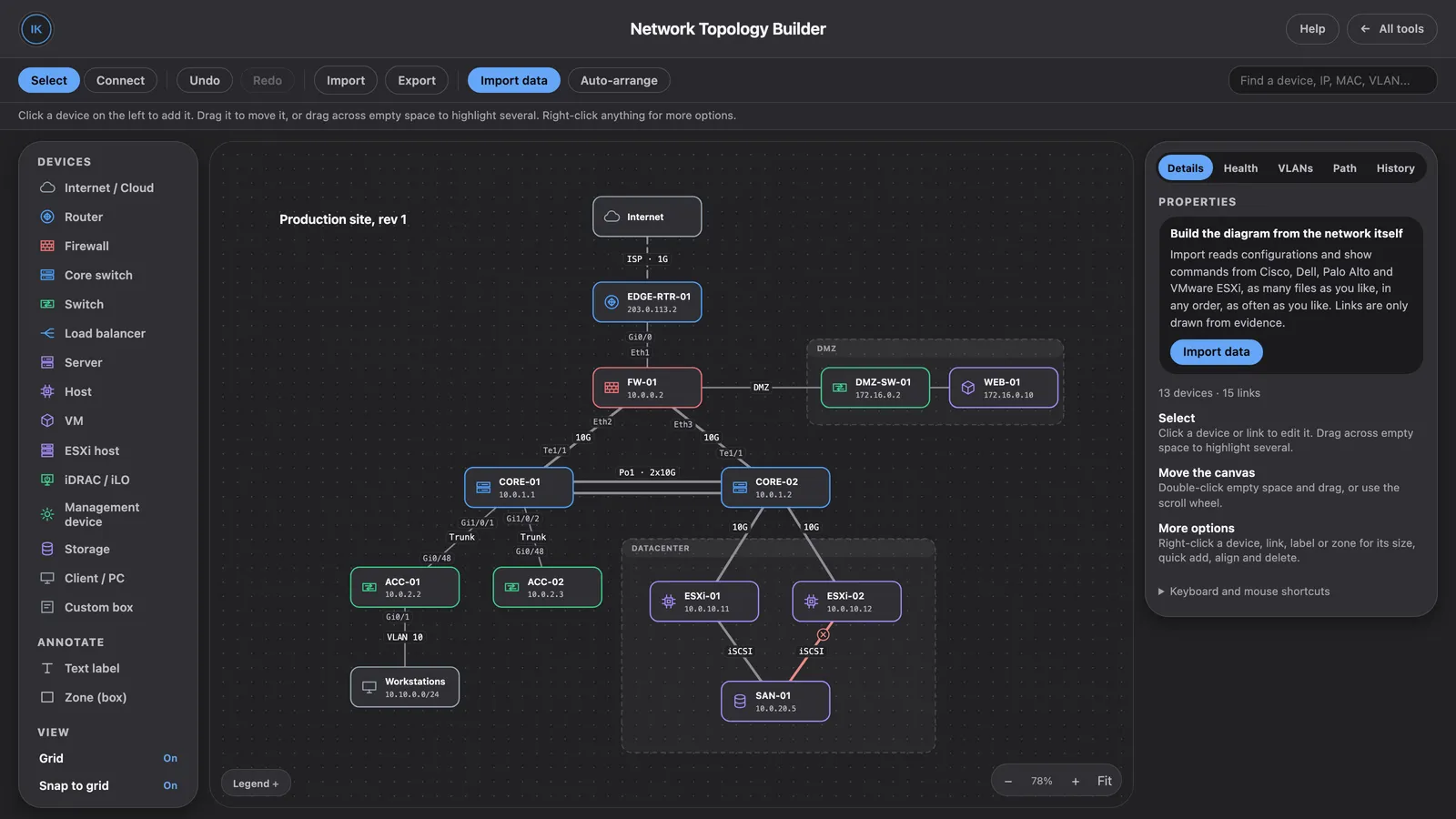
Draw it by hand. Pick devices from the palette: routers, firewalls, core and access switches, load balancers, servers, ESXi hosts, iDRAC/iLO, storage, clients, and more. Drag them onto the canvas, connect them, and group them into zones like a DMZ or a datacenter. Each device and cable has its own details: name, IP, VLAN, MAC, interfaces, notes, and link status.
Import what the devices printed. This is the part I use most. Paste or load configs and show output from Cisco, Dell, Palo Alto, and VMware ESXi, in any number of files, in any order. It builds the devices and links from that data. Links are only drawn when there is evidence for them, and you can choose whether to show inferred ones.
The built-in sample network, with a DMZ zone, a datacenter zone, a port-channel between the cores, and one link marked down.
Seeing problems
A diagram is more useful when it tells you what’s wrong with it. The side panel has tabs for Health, VLANs, Path, and History, and you can search for a device by name, IP, MAC, or VLAN. Down or disabled links show up on the map, and imported data can be marked stale after a time you pick, from an hour to a month. That way an old import doesn’t pass for current fact.
Getting it out
Export as a diagram file (JSON), a dark PNG, a PNG for documents, an SVG, or a CSV list of devices and links. Imported data can also be exported as CSVs of devices, interfaces, VLAN membership, links and evidence, down links, and unresolved links, plus a health report in Markdown.
Saved diagrams can hold device configurations, which often contain passwords, so it offers to encrypt the file with a passphrase when you save. The whole thing runs in the page, so what you paste or load stays on your machine.
Open the Topology Builder · Back to the IT Skills Kit · Source on GitHub